
Introduction
Website speed is one of the most important factors for online success in 2026. Whether you are running a blog, an eCommerce store, or a business website, a slow-loading website can negatively impact your traffic, conversions, and search engine rankings.
Studies show that users leave a website if it takes more than 3 seconds to load. This means even a small delay can cost you visitors and revenue. That’s why optimizing your website speed is no longer optional—it is essential.
In this complete guide, you will learn practical and effective ways to improve your website speed, from basic fixes to advanced optimization techniques.
What is Website Speed?
Website speed refers to how fast your website loads and becomes usable for visitors. It includes:
- Page load time
- Time to first byte (TTFB)
- Rendering speed
- Interaction time
Faster websites provide a better user experience and rank higher on search engines.
Why Website Speed is Important
1. Better User Experience
Users prefer fast websites. A slow site leads to frustration and higher bounce rates.
2. Higher Google Rankings
Page speed is a confirmed ranking factor. Faster sites perform better in search results.
3. Increased Conversions
Faster loading pages lead to higher sales and engagement.
4. Mobile Performance
Most users access websites via mobile devices, where speed matters even more.
Common Reasons Why Websites Are Slow
Before fixing speed, you need to understand the problem:
- Large image sizes
- Unoptimized code (CSS, JS)
- Too many plugins
- Poor hosting
- No caching system
- Heavy third-party scripts
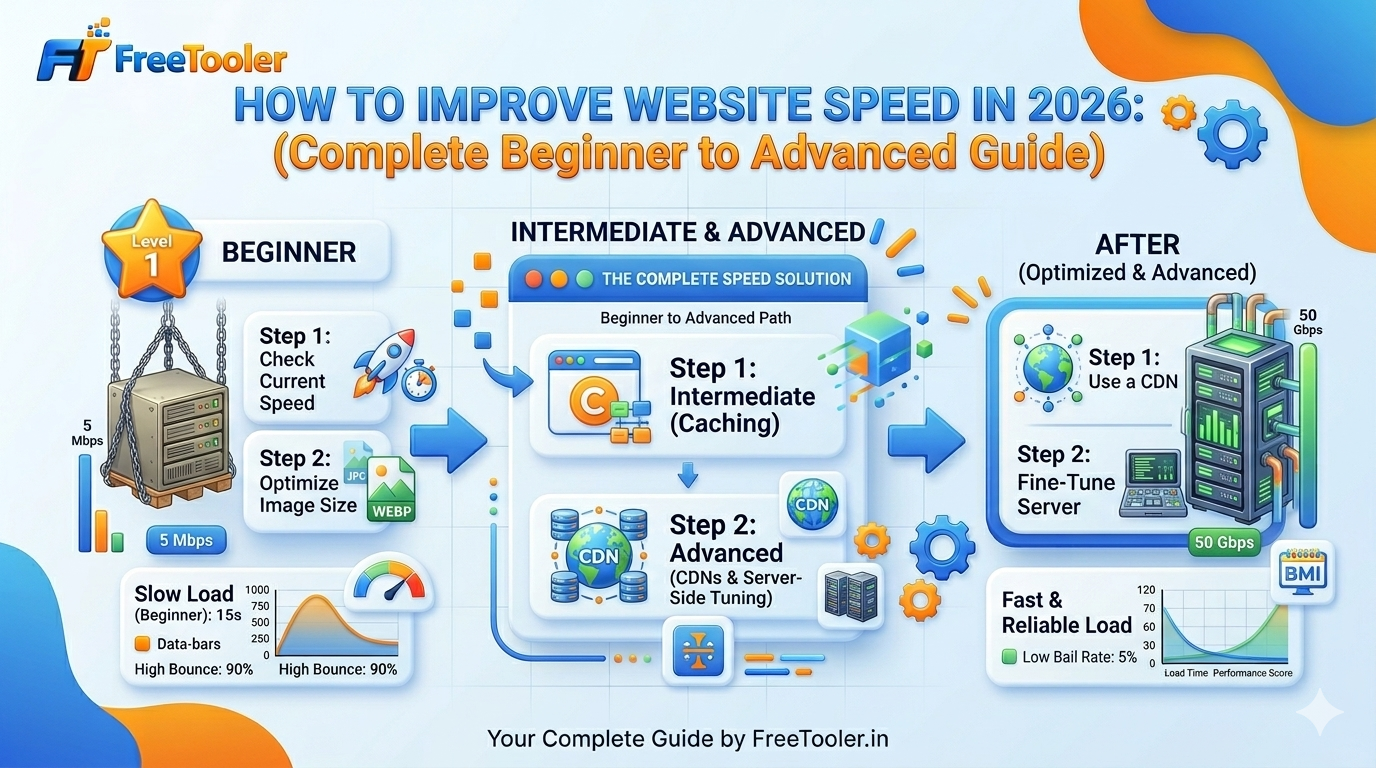
Step-by-Step Guide to Improve Website Speed
1. Optimize Images (Most Important)
Images are the biggest reason for slow websites.
You should:
- Compress images before uploading
- Use correct formats (JPG, PNG, WebP)
- Avoid large dimensions
👉 You can use an online image compressor to reduce file size instantly without losing quality.
2. Use a Content Delivery Network (CDN)
A CDN stores your website data on multiple servers worldwide.
Benefits:
- Faster loading globally
- Reduced server load
- Improved performance
3. Enable Browser Caching
Caching allows browsers to store files locally.
Result:
- Faster repeat visits
- Reduced load time
4. Minify CSS, JavaScript, and HTML
Remove unnecessary code like spaces and comments.
This helps:
- Reduce file size
- Improve loading speed
5. Choose Fast Hosting
Your hosting provider plays a major role.
Avoid:
- Cheap shared hosting
Prefer:
- VPS or cloud hosting
6. Reduce HTTP Requests
Each file (image, script, CSS) creates a request.
Solution:
- Combine files
- Remove unnecessary elements
7. Use Lazy Loading
Lazy loading loads images only when needed.
Benefits:
- Faster initial load
- Better performance
8. Optimize Database
Clean unused data regularly:
- Remove spam comments
- Delete revisions
- Optimize tables
Tools to Test Website Speed
You should always measure performance using tools like:
These tools provide insights and suggestions to improve speed.
Advanced Optimization Techniques
1. Use WebP Images
WebP format reduces size significantly while maintaining quality.
2. Implement GZIP Compression
Compress files before sending them to the browser.
3. Reduce Redirects
Too many redirects slow down loading.
4. Optimize Fonts
Use limited font styles and weights.
Real-Life Example
Let’s say your website loads in 5 seconds.
After optimization:
- Compress images → saves 2 seconds
- Enable caching → saves 1 second
- Use CDN → saves 1 second
👉 Final load time: ~1 second
This dramatically improves user experience and SEO.
Common Mistakes to Avoid
- Uploading large images directly
- Using too many plugins
- Ignoring mobile optimization
- Not testing performance regularly
How Often Should You Optimize?
Website optimization is not a one-time task.
You should:
- Check speed monthly
- Optimize new content
- Monitor performance regularly
Conclusion
Website speed is critical for success in 2026. A fast website improves user experience, boosts SEO rankings, and increases conversions.
By following the strategies in this guide, you can significantly improve your website performance and stay ahead of the competition.
Start optimizing your website today and deliver a faster, smoother experience to your users.
FAQs
What is a good website speed?
A good website should load within 2–3 seconds.
Does website speed affect SEO?
Yes, faster websites rank higher on search engines.
How can I check my website speed?
You can use tools like Google PageSpeed Insights.
What is the biggest factor affecting speed?
Large images are usually the main cause.
Can I improve speed without coding?
Yes, using tools and plugins you can optimize easily.

Free Tooler is your go to platform for free online utilties that make your tasks easier and fastor.
Discover wide range of tools that are 100% free and require no sign-up.
Popular Tools
Quick Links
Get In Touch
© 2026 FreeTooler. All Rights Reserved. | Designed & Developed By DE TECH | Terms of Service | Privacy Policy | Disclaimer